Build real apps in Claude with Trailblaze
Describe an app in the chat. Trailblaze builds it, shows it running right there, and puts it on your phone.
Connect in a minute
- 1
Click Add Trailblaze to Claude. Claude opens with Trailblaze already filled in.
- 2
Check the name and link, then click Add.
- 3
Click Connect, sign in to Trailblaze and click Allow.
- 4
In a new chat, turn on Trailblaze in the tools menu and ask it to build your app.
See it in action
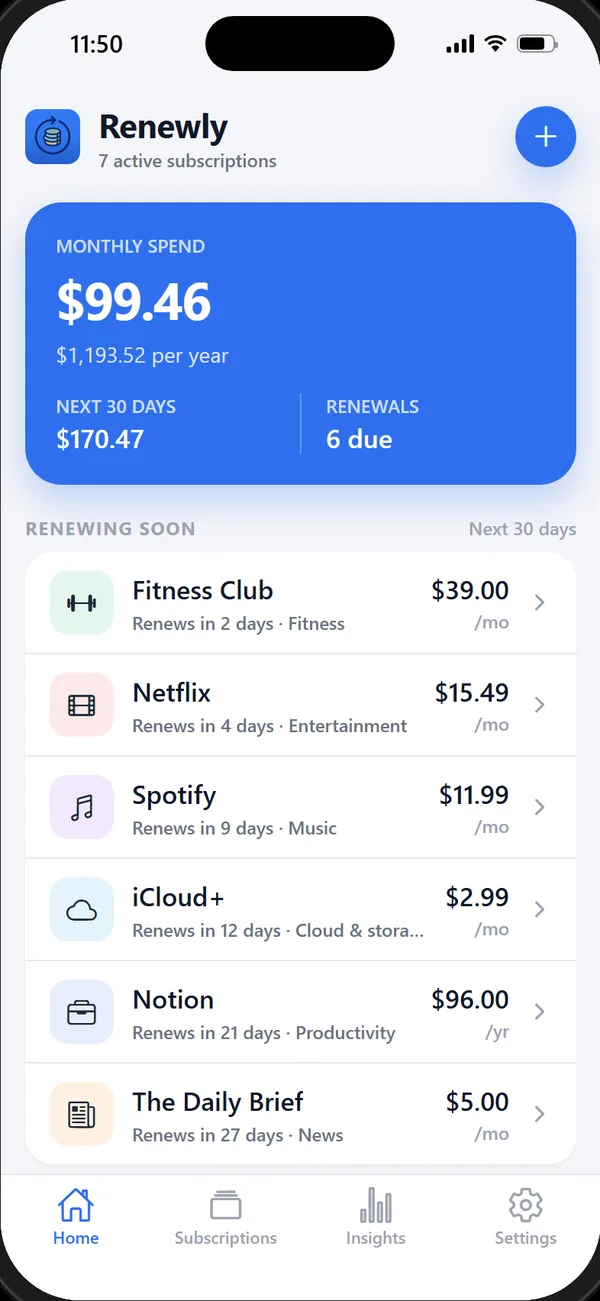
Build me a subscription tracker that reminds me before anything renews.
On it. Trailblaze is building Renewly now, and it'll show up right here when it's ready.
Build from a chat
Describe your app. Trailblaze’s agent designs and codes it, the same as on the site.
Watch it run right there
Your app runs in a phone frame inside the chat as soon as it’s built.
Try it on your phone
Scan the QR code with Expo Go to use the real app on your iPhone or Android.
Pick up on the web
Every app is in Trailblaze too, ready for a backend, payments and the App Store.
Questions
- Do I need a Trailblaze plan?
- Yes. Apps you build from ChatGPT or Claude use your Trailblaze plan and build credit, just like on the site. See pricing.
- Are these the same apps as on the site?
- Yes. Everything you build shows up in your Trailblaze account, and you can switch between the chat and the site at any time.
- What do I still do on the site?
- Publishing to the App Store, connecting Supabase or RevenueCat, and managing your plan. The chat gives you a link when you need one.
- How do I disconnect?
- Remove Trailblaze from the connectors in Claude’s or ChatGPT’s settings. Your apps stay in your Trailblaze account.